Battery‑powered tools have gone from “nice to have” to “must have” in a typical DIY setup. They’re quieter than gas tools, easier than corded tools, and safer than balancing on a ladder with an extension cord pulling at your feet. This guide walks you through how to choose, use, and maintain cordless tools so they actually make your projects faster—not more frustrating.
Why Cordless Tools Are Worth Building Around
Cordless tools are built around a battery platform, not just the tool itself. When you pick a brand, you’re really picking a battery system that will power your drill, impact driver, circular saw, inflator, and more. That’s why a little planning up front pays off for years.
Cordless tools shine in three places: safety, convenience, and consistency. You’re not fighting cords around ladders or saw horses. You can work where outlets are limited—attics, yards, sheds, or rooms still under rough construction. And once you know how long your batteries last, you can plan work sessions without guessing. The goal is simple: assemble a cordless setup that covers 80–90% of your common tasks with as little fuss as possible.
Step 1: Choose One Battery Platform And Stick To It
Before you buy anything with a battery, decide on a platform. This decision affects every tool you buy afterward.
How to do it:
- List the tools you’ll want in the next 2–3 years. Think beyond a drill: impact driver, circular saw, oscillating multi‑tool, shop blower, inflator, string trimmer, etc. Check which brands actually make those tools in the same voltage and battery line.
- Compare battery ecosystems, not just a single tool. Look at a few major brands (for example: DeWalt 20V MAX, Milwaukee M18, Makita 18V LXT, Ryobi 18V ONE+). Visit their official websites and see how many tools run on that same battery line.
- Check availability where you actually shop. If you always buy from one home center or online retailer, make sure your chosen brand and batteries are regularly in stock and not a “special order” item.
- Pick a common voltage and avoid oddballs. For most DIY home improvement, 18V/20V systems are the sweet spot. They’re strong enough for framing, decking, and most renovations, but not as heavy or expensive as larger specialty platforms.
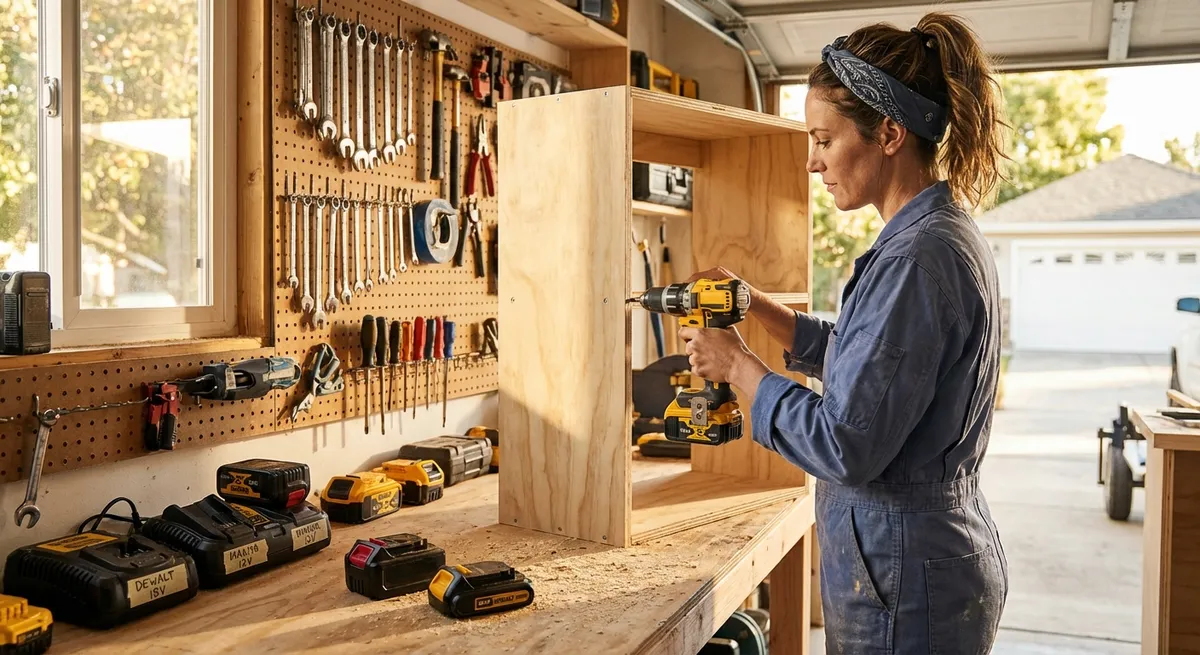
- Start with a kit that includes at least two batteries and a charger. A basic drill/driver + impact driver combo is often the best entry point. Two batteries mean you can use one while the other charges, instead of your whole project stalling.
Practical tip: If you already own one cordless tool you like, it’s often cheaper and easier to double down on that brand than to start over with a new platform—unless the battery line is clearly limited or being phased out.
Step 2: Match The Tool To The Task—Without Overspending
Having the “right” tool doesn’t mean having the most expensive one. It means having the tool that suits the material, the project size, and how often you’ll realistically use it.
How to do it:
- Define the main job first. Are you assembling furniture, hanging cabinets, building a deck, cutting trim, or demoing old materials? A drill/driver might be enough for light work, but a deck build absolutely benefits from an impact driver and circular saw.
- Choose DIY‑grade or pro‑grade based on usage. If you work on projects most weekends or tackle structural projects, stepping up to pro‑grade tools can make sense. For basic repairs and occasional projects, a mid‑range DIY line is more than enough.
- Use brushed vs. brushless as a guide, not a rule. Brushless motors are more efficient, last longer, and deliver more power per charge. They’re ideal for saws and impact drivers that see heavy use. For a light‑use drill, a brushed model is often fine and cheaper.
- Prioritize torque and speed ranges, not marketing labels. For drill/drivers, look at torque (measured in inch‑pounds) and speed settings. For saws, look at maximum RPM and blade size. Ignore vague terms like “Contractor’s Choice!” on packaging.
- Rent heavy specialty tools instead of buying. A cordless SDS hammer drill, large rotary hammer, or big demolition saw is overkill for most home owners. Rent these for a day when you need them, and invest your budget into tools you’ll use monthly.
Practical tip: When you’re undecided between two models, picture the toughest task you know you’ll do in the next year. Buy the cheapest tool that can do that job reliably, not the most powerful tool in the aisle.
Step 3: Use Batteries Smarter So You’re Never Waiting On A Charge
Battery management is what separates smooth project days from “I guess I’m done because everything’s dead.” A few simple habits can keep your tools ready without buying a dozen batteries.
How to do it:
- Label your batteries and rotate them. Use a marker and number your batteries (1, 2, 3…). Start each work session with the next battery in sequence. This spreads wear evenly instead of killing one battery early.
- Keep a charging routine, not just emergency charging. After any serious work session, plug dead or half‑used batteries in immediately. Get in the habit of starting long projects with all batteries at or near 100%.
- Avoid “hot” charging whenever possible. After heavy use (especially with saws), let the battery cool for 10–20 minutes before charging. Many chargers won’t start charging a very hot battery anyway, and heat is what shortens battery life.
- Store batteries at moderate temperature. Ideal storage is a cool, dry place—not a hot car trunk or uninsulated shed in summer. Extreme heat or cold permanently reduces battery capacity over time.
- Charge to full, but don’t store totally dead. Leaving lithium‑ion batteries completely drained for weeks can damage them. If you’re pausing a project for a while, charge batteries to at least 50–60% before putting them away.
Practical tip: For regular DIY use, two standard‑capacity batteries and one higher‑capacity “extended run” pack is a practical setup. Use the big pack for power‑hungry saws and the lighter ones for drills and drivers.
Step 4: Set Up A Simple, Safe Work Zone For Cordless Tools
Cordless tools remove the cord hazard, but they still involve spinning blades, fast‑moving bits, and flying debris. A basic work zone setup keeps you safer and makes your tools work better.
How to do it:
- Pick a stable, flat surface as your main work area. A sturdy workbench or a pair of saw horses with a sacrificial top (like a sheet of plywood) is ideal. Avoid working on uneven floors where tools can twist or bind.
- Organize tools by “active” and “parked.” Keep the tools you’re actively using on one side of the bench, and the rest parked in a bin or on a shelf. This reduces the chance you’ll knock something off while reaching for another tool.
- Use clamps instead of hands to hold materials. Even simple F‑style or quick‑grip clamps make cutting and drilling safer and more accurate. If your workpiece can move, clamp it. Your non‑dominant hand should not be acting as a clamp near a blade or bit.
- Control dust and lighting. Work in a well‑lit area and keep dust manageable with a shop vacuum or dust port connections when available. Dust builds up in tools, reduces visibility, and in some cases can pose a respiratory risk.
- Wear appropriate PPE every time. Safety glasses are non‑negotiable with any cutting or drilling. Add hearing protection for saws and impact drivers, and a dust mask or respirator when cutting MDF, treated lumber, or sanding heavily.
Practical tip: Keep a dedicated “safety kit” (safety glasses, hearing protection, dust mask, light work gloves) hanging right near your charging station. If it’s easy to grab, you’re more likely to use it consistently.
Step 5: Maintain Your Cordless Tools So They Last For Years
Most cordless tools fail early because they’re clogged with dust, dropped repeatedly, or stored poorly—not because the motor “just wore out.” Simple maintenance keeps them accurate, safe, and pleasant to use.
How to do it:
- Blow out dust regularly. After dusty jobs, use compressed air or the blower function on a shop vac to clear vents, chucks, and around the trigger area. Dust buildup traps heat and can shorten tool life.
- Inspect moving parts before and after big projects. Check that chucks tighten properly, blades aren’t chipped, guards move freely, and depth or angle adjustments lock firmly. If something feels loose or gritty, don’t ignore it.
- Replace wear parts, not whole tools. On saws, replace dull blades early—they make tools feel weak and overwork the motor. On drills and drivers, swap out worn bits. Check for replacement brushes or service parts on the manufacturer’s website if your tool is serviceable.
- Store tools in a dry, protected place. Avoid leaving them on damp floors, in open trucks, or in unheated spaces where condensation can occur. If you don’t use them daily, keeping them in cases or tool bags helps protect them from dust and impacts.
- Read the manual—for real. The user manual often includes maintenance intervals, lubrication points, safe operating ranges, and specific warnings. It’s not exciting, but a 10‑minute read can prevent both damage and unsafe use.
Practical tip: Add a quick “tool check” at the end of a big project: dust off tools, inspect blades/bits, wipe handles with a dry cloth, and put batteries back on their charging routine. Doing this while the project is still fresh in your mind will save you time and money later.
Conclusion
Cordless tools can make home improvement feel smoother, safer, and more controlled—if you set them up the right way. Start by committing to a single battery platform, then buy tools that match the work you actually do. Keep your batteries on a simple rotation, build a safe work zone, and give your tools basic care after each project. With those habits in place, your cordless setup will feel less like a random pile of gadgets and more like a reliable system you can count on whenever you’re ready to fix or build something.
Sources
- U.S. Department of Energy – Energy Efficient Motors – Overview of motor efficiency and why brushless designs can be more efficient
- Occupational Safety and Health Administration (OSHA) – Hand and Power Tools – Safety guidelines and best practices for using power tools
- Consumer Product Safety Commission – Power Tool Safety Alert – Safety recommendations and common hazards associated with power tools
- Massachusetts Institute of Technology (MIT) – Lithium-Ion Battery Safety – Technical overview of lithium‑ion battery behavior and safety considerations
- DeWalt Official Website – 20V MAX System – Example of a cordless tool battery platform and compatible tools
Key Takeaway
The most important thing to remember from this article is that this information can change how you think about Tools & Equipment.