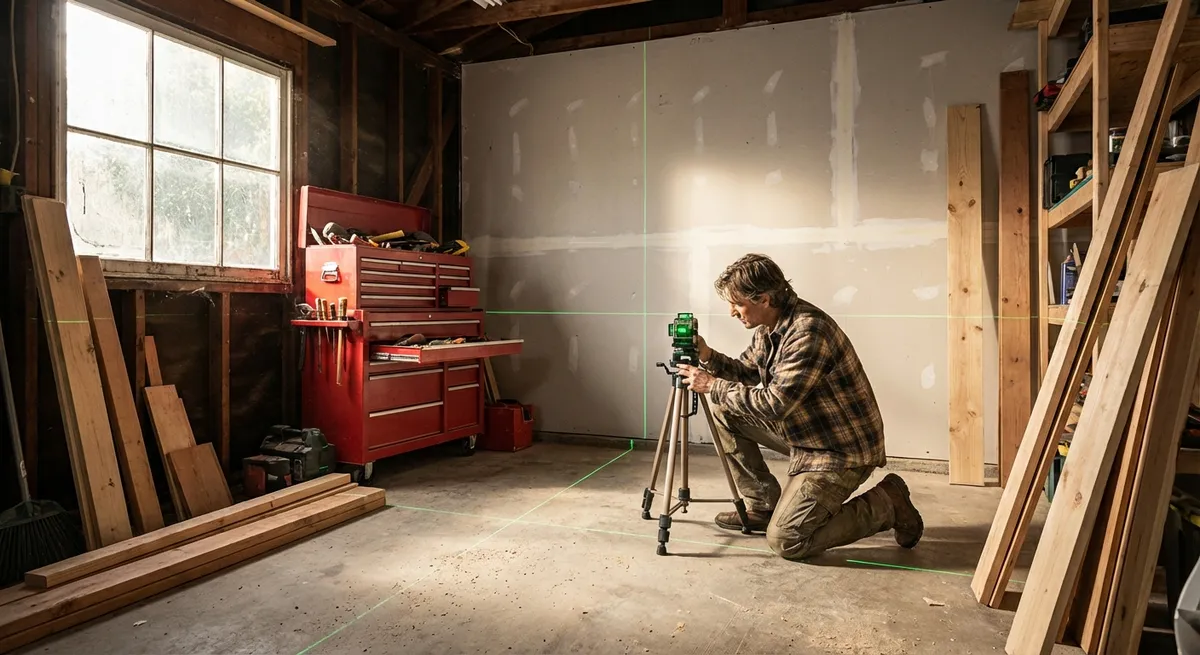
A laser level can quietly become one of the most useful tools in your home toolkit. From hanging cabinets to tiling a backsplash or framing a wall, it helps you get straight, repeatable lines without juggling a bubble level and a pencil. But many DIYers buy one, use it once, then toss it in a drawer because the setup feels confusing. This guide walks you through choosing, setting up, checking, and using a laser level so you can trust your lines—and your finished projects.
Know Your Laser Level (and When to Use Each Type)
Before you start pressing buttons, it pays to understand what you’re holding.
Most homeowner-grade laser levels fall into three main types:
- Line lasers: Project a straight horizontal line, vertical line, or both. Ideal for hanging pictures, setting kitchen cabinets, or installing trim.
- Cross-line lasers: Project both a horizontal and vertical line simultaneously in a cross shape. Great for tiling, layout for shelving, and general remodel work.
- Rotary lasers: Spin a 360° level line around a room or outdoor space. More common on job sites for framing, deck building, and grading.
You’ll also see two common features:
- Self-leveling: The internal pendulum or mechanism automatically finds level within a small range (like ±4°). You just get the tool roughly level, and it fine-tunes itself.
- Manual (non–self-leveling): You use built-in bubble vials to get the housing perfectly level. They’re cheaper but slower and more error-prone.
For most indoor DIY projects, a self-leveling cross-line laser is the sweet spot. It’s flexible, simple to use, and usually compatible with standard tripods or wall mounts.
Step 1: Choose the Right Laser Level for Your Projects
Match the tool to what you actually do at home. This prevents overspending on features you’ll never touch and avoids the frustration of using an underpowered tool.
- List your most likely uses.
Common examples: hanging gallery walls, installing cabinets or floating shelves, laying tile, aligning outlets and switches, or framing a small wall.
- Decide on indoor vs outdoor use.
- Mostly indoors: a standard red-beam cross-line laser is usually enough.
- Frequent outdoor work (decks, fences, grading): look for a green-beam model (brighter in daylight) and compatibility with a laser detector/receiver.
- Check the working range and accuracy.
- For home interiors, a range of 30–50 feet is typically fine.
- Accuracy is usually listed as something like ±1/8" at 30 ft. For cabinets, tile, and trim, aim for this or better.
- Choose power type.
- AA/AAA batteries: easy to replace anytime.
- Rechargeable pack: lower long-term cost and often more power, but you need to keep it charged. Ideally, choose a model that supports both.
- Confirm mounting options.
Look for at least:
Bonus features to consider—not mandatory, but useful:
- Pulse mode for use with a detector outdoors - IP rating for dust/water resistance if you work in tough conditions - Multiple beam modes (horizontal only, vertical only, cross) to save battery
By the end of this step, you should have a specific model in mind that matches your real-world projects, not just the flashiest options on the shelf.
Step 2: Set Up and Calibrate Your Laser Level Safely
Once you’ve bought a tool you actually need, the next step is getting it ready to work accurately and safely. This is where many DIYers skip ahead, and it shows in crooked tile lines and wavy cabinet runs.
- Unpack and inspect.
Check for obvious damage from shipping. Make sure the pendulum lock (if your model has one) moves smoothly and that all buttons and switches feel solid.
- Install and check the batteries.
Use fresh, name-brand batteries or a fully charged pack on your first use. Weak power can cause dim beams and sometimes unstable self-leveling.
- Read the safety and controls page of the manual.
Focus on:
- How to lock/unlock the pendulum
- What each mode button does (H, V, cross, pulse, etc.)
- The tool’s stated self-leveling range (e.g., ±4°)
- Mount the level securely.
- Indoors: use a camera tripod or the included wall bracket. Place it on a stable surface that won’t shift when you walk by.
- On a bracket: clamp or magnetize it to a solid stud or metal surface, not flimsy trim or drywall alone.
- Unlock the pendulum (for self-leveling models).
Turn on the tool in self-leveling mode. Many models flash or beep if they’re outside their self-leveling range; if you see that, adjust the tripod legs or stand until the flashing stops.
- Avoid direct eye exposure.
Don’t look directly into the beam and avoid placing the tool where it shines into someone’s line of sight. A quick visual sweep of the room before you start working is a good habit.
This setup routine takes a few minutes but sets the stage for accurate, repeatable lines for the rest of your project.
Step 3: Verify Your Laser Level’s Accuracy with a Simple Home Test
Even new tools can be slightly off, and older tools may get knocked out of alignment after a drop. You don’t need a lab to check accuracy—just a simple “four-mark wall test” you can do in any room.
- Pick a test distance.
Choose a wall at least 15–20 feet long with a relatively clear surface. The longer the distance, the more sensitive your test will be.
- Set up the laser at mid-height.
Place the laser on a tripod or flat surface facing the wall. Unlock the pendulum and let it self-level.
- Make the first mark.
Turn on the horizontal line. On the wall, pick a point near one end of the line and mark the center of the beam with a sharp pencil. Label it “1”.
- Rotate the laser 180°.
Without changing the height of the tripod or the distance to the wall, rotate the tool so it faces the opposite direction toward the same wall (or move it to the other side of the room, keeping the same height). Let it self-level again.
- Make the second mark.
On the wall, at roughly the same spot as your first mark, mark the center of the new beam. Label it “2”.
- Measure the difference.
- If marks 1 and 2 are almost on top of each other, your level is within spec.
- If they’re separated, measure the gap. Compare that against your tool’s advertised accuracy at the test distance. For example, if your level is rated ±1/8" at 30 ft and you tested at ~20 ft, a difference of around 1/8" or less is usually acceptable.
- Repeat for vertical accuracy (optional but smart).
Switch to vertical mode and repeat similar checks on a wide wall or from floor to ceiling, marking and comparing.
If your test shows a bigger error than the spec, check:
- Are you on a solid, non-moving surface?
- Is the tripod firmly locked?
- Is the pendulum unlocked and fully self-leveled?
If the error remains after troubleshooting, it’s time to contact the manufacturer for recalibration or service, especially if the tool is still under warranty.
Step 4: Use a Laser Level for Precise Layout on Real Projects
With a verified tool, you can use your laser for practical layout tasks that actually make your projects easier and cleaner.
Below are a few common scenarios and how to approach them.
- Aligning a row of wall cabinets or floating shelves.
- Mark the finished height of the bottom of your cabinets or shelves on one wall.
- Set up the laser so the horizontal line lines up exactly with that mark.
- Lock your tripod or bracket, then follow the beam around the room to install your cabinet ledger board or shelf brackets along the same level line.
- Check each cabinet or bracket against the line as you go—no need to re-measure each position.
- Tiling a backsplash or shower wall.
- Decide where your first full tile row should sit and mark that height.
- Use the laser to project a level line at the top of that row. This becomes your reference line so cuts stay consistent across the wall.
- For vertical layout (like aligning grout joints across multiple walls), turn on the vertical line and use it as your plumb reference for tile edges.
- Installing chair rail or wainscoting.
- Choose the height you want for the rail, mark it at one corner, and match the laser’s horizontal line to that point.
- Use the line to set your top or bottom edge of the trim around the room.
- Periodically check that fasteners or adhesive haven’t pushed the trim above or below the beam.
- Framing a straight, plumb wall.
- Use the vertical line to align top and bottom plates or to plumb studs.
- Set the beam over your bottom plate line, then mark where it hits the top plate or ceiling. This helps ensure the wall is straight and square to adjacent walls.
- Laying out outlets and switches in a remodel.
- If you want all outlets and switches at consistent heights, set the horizontal beam at your chosen height and mark each box location where the line crosses.
- Your electrical boxes will line up neatly without re-measuring every time (always follow local electrical codes for box heights and spacing).
For each task, the key is the same: move your work to the line, not the line to your work. Set the laser once, lock it down, and trust your reference while you move around it.
Step 5: Store, Maintain, and Use Your Laser Level Longer
A laser level can stay accurate for years if you handle it like a precision tool, not a hammer. A few simple habits go a long way.
- Lock the pendulum before moving the tool.
If your model has a pendulum lock, switch it on before you pick up the level or put it in a case. This protects the internal mechanism from shock.
- Use the protective case.
Always store and transport it in the supplied hard or padded case. Don’t toss it into a tool bucket where it can rattle around with wrenches and drills.
- Avoid extreme temperatures and moisture.
- Don’t leave it in a hot car or unheated shed for long periods.
- Check the IP rating; if it’s not designed for wet conditions, keep it dry and clean off dust with a soft cloth.
- Clean the lens carefully.
Use a microfiber cloth and, if needed, a lens cleaner (like for eyeglasses). Scratched or dirty lenses can scatter the beam and make it hard to see clearly.
- Do a quick accuracy check every few months—or after a drop.
Repeat the wall test from Step 3. If it suddenly fails after you’ve dropped the tool or knocked over the tripod, stop relying on it for critical layout until you’ve had it serviced or replaced.
- Label your tool with the last test date.
A piece of tape with a date and “Accuracy check OK” is enough. This gives you confidence when you pick it up months later.
Taking care of the tool doesn’t just protect your investment—it protects every project that depends on those straight, level lines.
Conclusion
A well-chosen, properly set up laser level turns frustrating layout work into a straightforward, repeatable process. By understanding your options, checking accuracy at home, and using the beam as a constant reference, you can hang cabinets, lay tile, and frame walls with confidence instead of guesswork. Treat your laser level like the precision instrument it is, and it will quietly improve almost every project you tackle around the house.
Sources
- Occupational Safety and Health Administration (OSHA) – Laser Hazards - Overview of laser classifications and basic safety practices when working with laser tools
- U.S. General Services Administration – Construction Layout Guidelines - General references on construction layout accuracy and standards in building work
- DeWalt – How to Use a Laser Level - Manufacturer guidance on setup, use, and typical applications for laser levels
- Bosch Professional – Laser Measure and Leveling Tools FAQ - Technical details on accuracy, calibration, and safe operation of laser measuring and leveling tools
- University of Illinois Extension – Using Levels in Construction - Educational explanation of level types, accuracy concepts, and correct use in construction tasks
Key Takeaway
The most important thing to remember from this article is that this information can change how you think about Tools & Equipment.