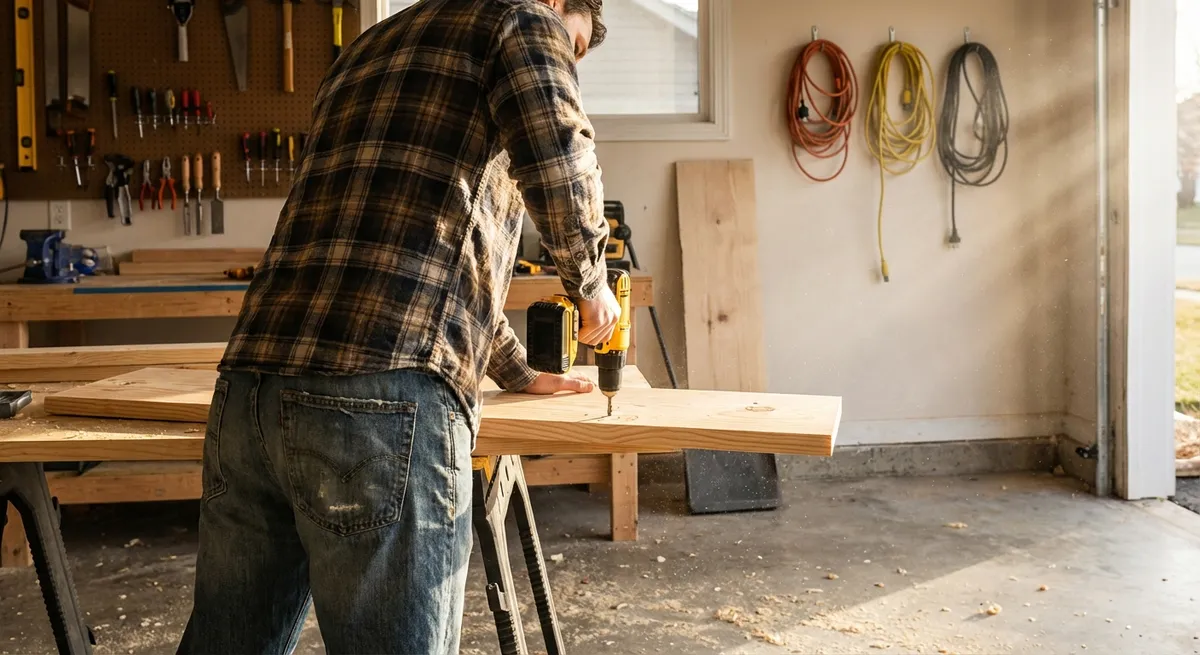
Power tools can turn weekend ideas into real, finished projects—if you know how to set them up, use them safely, and keep them in good shape. If you’ve ever hesitated to plug in a new tool because you weren’t sure you were doing it right, this guide is for you. We’ll walk through practical, step-by-step instructions so you can get more done with less frustration and fewer mistakes.
Start Smart: Matching Tools to the Job (So You Don’t Overbuy)
Buying tools without a plan usually leads to clutter and wasted money. Before you grab whatever’s on sale, slow down and match your tools to the work you actually do.
Think about your most common tasks: hanging shelves, installing trim, building basic furniture, or doing light framing. Each type of task leans on a few “core” tools. For example, most indoor DIY projects can be handled with a drill/driver, circular saw, sander, and a basic measuring/layout kit. More specialized jobs (like tile, concrete, or major framing) may require upgrades later.
Pay attention to power source and compatibility. If you buy cordless, staying within one battery platform (same brand and voltage line) saves money and storage space. For corded tools, note the amperage—higher amps usually mean more power but may require heavier-gauge extension cords. Also, consider ergonomics: pick tools that feel balanced in your hand, and check for features that genuinely matter, like variable speed, adjustable depth, and easy blade or bit changes.
This planning step means you buy tools you’ll use often, not just once. It also makes your workspace safer and more efficient because you’re not wrestling with underpowered tools or awkward workarounds.
Step 1: Set Up a Safe Power Tool Area
A safe, organized work area is more important than the tools themselves. Before you start any cutting, drilling, or sanding, set up your space properly so you can work without constant interruptions or hazards.
Step-by-step: Creating a safe work zone
Choose your location
Pick a space with solid flooring, good lighting, and enough room to move around your material—garage, basement, driveway, or a well-ventilated room with a door or window you can open. Avoid cramped corners where cords and offcuts can pile up underfoot.
Clear your floor and surfaces
Remove trip hazards: loose boards, cords, boxes, and scraps. Clear a table or workbench so you have a stable surface. If you don’t have a bench, two sawhorses and a sheet of plywood can become an instant worktable.
Set up power properly
Use grounded outlets and heavy-duty extension cords rated for power tools (typically 14-gauge or thicker for most tools, 12-gauge for higher-amp tools or longer runs). Avoid daisy-chaining power strips and never overload one circuit with multiple big tools running at once.
Plan material support
Make sure long boards or sheets are supported at both ends. Use sawhorses, roller stands, or scrap pieces of wood to keep material level. A lot of mistakes and accidents happen when material hangs off the edge and pinches the blade mid-cut.
Keep safety gear visible and reachable
Put safety glasses, hearing protection, dust masks/respirators, and work gloves in one visible spot—ideally hung on the wall or in a small bin near your main work area. If it’s easy to grab, you’re more likely to use it every time.
By setting up an intentional work zone, you make every tool feel easier to control and every project feel less chaotic.
Step 2: Learn a Drill/Driver the Right Way (Your Most-Used Tool)
A cordless drill/driver is the tool you’ll reach for more than any other. Knowing how to set it up correctly prevents stripped screws, split wood, and worn-out batteries.
Step-by-step: Setting up and using a drill/driver
Install and secure the bit
Open the chuck (the jaws at the front) by running the drill in reverse while holding the chuck or manually twisting it, depending on your model. Insert the drill bit or driver bit fully, then tighten the chuck firmly until it clicks or feels snug. A loose bit can wobble, strip screws, or fly out.
Choose the correct mode and speed
Most drill/drivers have two settings: “drill” (often a drill icon) and “drive” (with adjustable torque numbers or a screw icon). Use: - Drill mode for making holes - Drive mode for inserting screws, with a lower torque setting to avoid overdriving Use low gear (1) for driving screws and high gear (2) for drilling into softer materials.
Set torque for screwdriving
Start with a medium torque setting. Drive one test screw into scrap material that matches your project. If the drill stops and clicks early, increase the torque. If it sinks the screw too deep or spins aggressively, lower the torque. This prevents stripped heads and buried screws.
Support the drill correctly
Hold the drill with a firm, straight wrist and brace your other hand against the back or side of the tool if needed. Position your body directly behind the screw or hole location. Let the drill’s weight and motor do the work; don’t push excessively.
Protect your bits and battery
Don’t run the drill at full speed for long continuous periods on hard material; pulse the trigger when driving screws. Swap batteries before they’re completely dead if you notice performance dropping to avoid overheating. Store bits in a small labeled case so you can quickly pick the right size next time.
Once you’re comfortable with these basics, tasks like hanging cabinets, assembling furniture, and building basic framing become a lot faster and cleaner.
Step 3: Set Up a Circular Saw for Straight, Accurate Cuts
A circular saw is one of the best tools for cutting sheet goods and lumber, but it’s also one of the most commonly misused. A proper setup reduces kickback, rough edges, and wandering cuts.
Step-by-step: Preparing and using a circular saw
Check and install the blade
Unplug the saw or remove the battery. Use the blade lock button and wrench (usually stored on the saw) to loosen the arbor bolt. Mount the blade with the teeth pointing in the direction of rotation shown on the guard or blade. Tighten firmly—not over-tight, but secure.
Set the depth correctly
Adjust the depth so the blade extends about 1/4" to 1/2" below the wood. Too deep and the saw works harder and kicks more; too shallow and it burns or binds. The right depth improves cut quality and control.
Support the work properly
Never cut with both sides of the cut piece unsupported. Place your sheet or board on sawhorses or foam insulation, making sure the offcut will fall away freely. Avoid cutting between two supports where the middle can sag and pinch the blade.
Use a guide for straight cuts
Clamp a straight piece of wood or an aluminum guide rail to your material, parallel to your cut line. Run the saw’s base plate along that edge for a clean, straight cut. This is far more accurate than “cutting by eye” along a pencil line.
Start and finish the cut safely
Keep both hands on the saw—front handle and rear handle. Let the blade reach full speed before entering the material. Move steadily forward; don’t force it. At the end of the cut, keep the saw moving straight until the blade is completely out of the wood, then release the trigger and let the blade stop before setting the saw down.
A well-set circular saw can handle most of the cuts you’d normally use a table saw for, especially when paired with a simple straight-edge guide.
Step 4: Clamp Smarter, Not Harder (Solid Workholding for Better Results)
Most DIY mistakes come from the workpiece moving at the wrong moment. Clamps are your extra set of hands, and using them well makes cuts cleaner, joints tighter, and sanding easier.
Step-by-step: Effective clamping for common tasks
Pick the right clamp type
- Bar or F-clamps: great for gluing and holding boards together - Quick-grip clamps: fast for holding guides or light workpieces - C-clamps: strong for metal or when you need a lot of pressure - Corner clamps: helpful for boxes, picture frames, and cabinets
Protect the work surface
Use scrap wood between the clamp jaws and your project to prevent dents and clamp marks, especially on soft woods like pine. This also helps spread pressure more evenly.
Clamp before you mark and cut
When cutting with a circular saw or jigsaw using a straight-edge, clamp both the guide and the workpiece securely. Check that nothing can shift if the cord tugs or the saw catches slightly.
Apply even pressure for glue-ups
For joining boards, place clamps on alternating sides (top and bottom), spaced roughly every 8–12 inches for smaller boards. Tighten until a small, even line of glue squeezes out—not so hard that the joint bows or all the glue is forced out.
Test for movement
Before drilling, routing, or cutting, try to move the workpiece by hand. If it budges at all, add another clamp or reposition. Stable work is safer, more accurate, and easier on your tools.
Once you build the habit of clamping nearly every operation, you’ll notice cleaner cuts, better joints, and far fewer “that slipped at the last second” frustrations.
Step 5: Keep Tools Sharp, Clean, and Ready (Simple Maintenance Routine)
Well-maintained tools are safer and work faster. A few minutes of care after each project can add years to your equipment and give you better results every time you use them.
Step-by-step: Basic maintenance after a project
Unplug and remove batteries
Power down completely before any cleaning. Remove batteries from cordless tools and unplug corded ones. This simple step prevents accidental starts while you’re wiping or adjusting.
Remove dust and debris
Use a shop vac or soft brush to clear sawdust from vents, motors, and moving parts. For stubborn buildup on metal surfaces, a dry rag or a slightly damp cloth (for non-electrical parts) can help. Excess dust makes tools run hotter and clogs mechanisms.
Check blades and bits for dullness
Look for burned edges, chipped teeth, or bits that feel rounded at the cutting tip. Dull blades and bits require more force, are more likely to slip, and leave rough results. Mark dull ones with a bit of tape so you remember to sharpen or replace them before the next job.
Lightly lubricate moving parts
On tools with exposed mechanical parts (like miter saw pivots, hinges, or some hand tools), apply a small amount of appropriate lubricant (often a light machine oil). Avoid getting oil on cutting edges or surfaces that contact workpieces.
Store tools and batteries correctly
Keep tools in a dry, moderate-temperature area. Store cordless batteries away from extreme heat or cold and avoid leaving them on chargers indefinitely unless the manufacturer specifies that’s safe. Coil cords loosely; don’t wrap tightly around the tool, which can damage the wiring over time.
With a simple cleanup and inspection habit, you’ll spend less money replacing tools, and you’ll spot problems early—before they show up in the middle of a critical cut or hole.
Conclusion
Getting more from your tools isn’t about owning the biggest collection—it’s about setting them up correctly, working safely, and maintaining them so they’re ready when you are. By creating a safe work area, mastering your drill/driver and circular saw, using clamps effectively, and keeping everything clean and sharp, you’ll see immediate improvements in accuracy, speed, and confidence.
As you take on new projects, build on these basics. Add tools slowly, learn each one properly, and keep your setup intentional. That’s how you move from “hoping it turns out” to getting consistent, reliable results on every DIY job.
Sources
- [U.S. Consumer Product Safety Commission – Power Tool Safety Tips](https://www.cpsc.gov/s3fs-public/portablesaws.pdf) - Official guidance on safe setup and operation of common power tools
- [Occupational Safety and Health Administration (OSHA) – Hand and Power Tools](https://www.osha.gov/hand-power-tools) - Federal safety standards and best practices for tool use and maintenance
- [Family Handyman – Circular Saw Basics](https://www.familyhandyman.com/project/circular-saw-tips-and-techniques/) - Practical tips and techniques for safer, straighter circular saw cuts
- [Fine Homebuilding – Mastering the Cordless Drill/Driver](https://www.finehomebuilding.com/2014/01/23/mastering-the-cordless-drilldriver) - Detailed explanation of drill/driver settings and real-world usage
- [Extension Foundation (via University of Missouri) – Workshop Safety](https://extension.missouri.edu/publications/g1914) - Educational overview of safe tool setup, workspace planning, and protective equipment
Key Takeaway
The most important thing to remember from this article is that this information can change how you think about Tools & Equipment.