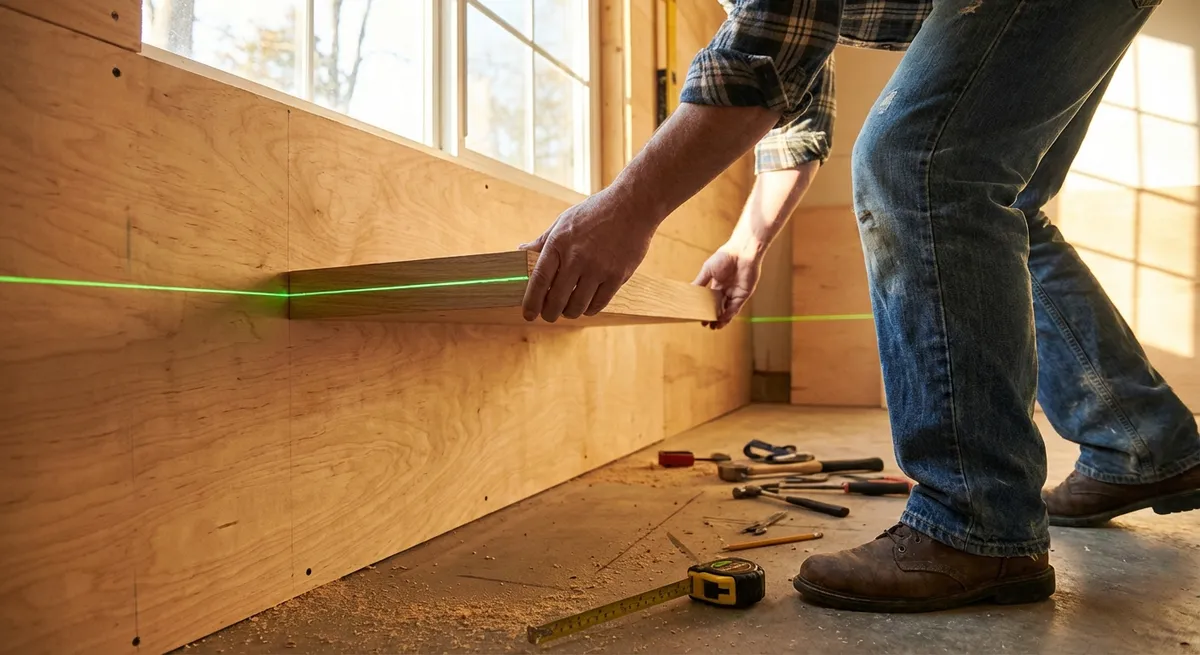
If you’ve ever installed a shelf, hung a gallery wall, or tiled a backsplash and thought “that looks a little off,” a laser level can fix that—if you know how to use it. This guide walks you through choosing, setting up, and using a laser level so your projects actually come out straight, square, and repeatable.
Whether you’re a weekend DIYer or upgrading your home tool kit, mastering a laser level will make almost every project look more professional with less trial and error.
Understand the Types of Laser Levels (and Pick the Right One)
Before you start hanging tools on the wall or marking lines, it’s worth knowing what you’re working with. Laser levels come in a few main types, and choosing the right one makes your life a lot easier.
- Line laser level: Projects a straight horizontal, vertical, or crosshair line on a surface. This is the most useful style for most DIY tasks like shelves, tile, cabinets, and picture walls.
- Rotary laser level: Spins a laser 360 degrees to create a level reference around an entire room or yard. Often used for larger jobs like decks, fences, and grading. Overkill for most indoor-only DIY.
- Dot or point laser: Projects points rather than lines. Good for transferring points from floor to ceiling or aligning between two opposite walls, but less intuitive for layout work.
For most homeowners, a self-leveling cross-line laser is ideal. Look for:
- Self-leveling within at least ±4° to save time and avoid constant micro-adjustments.
- Bright laser, green if possible – green is easier to see in bright rooms or daylight, though it usually costs more.
- Mounting options like a tripod mount and/or magnetic bracket for attaching to metal studs or door frames.
- IP rating (water/dust resistance) if you plan to use it outdoors or on messy jobs.
Spending a bit more on a reliable, self-leveling model often pays off quickly in accuracy and frustration saved.
Step 1: Check and Calibrate Your Laser Level
Even a good laser level is only useful if it’s accurate. Before trusting it on a project that will be obvious (like cabinets or tile), do a quick check and basic calibration.
1. Start with a simple “four-wall” accuracy test.
- Place the laser level on a stable surface or tripod near the center of a room.
- Turn on the horizontal line and aim it at one wall.
- Mark the line at a convenient height (e.g., where it crosses a piece of painter’s tape).
- Rotate the laser 90° to the next wall, mark again. Repeat for all four walls, then rotate back to the first wall and check that the line still hits your original mark.
- If the line is off by more than the tool’s rated accuracy (often about ±1/8" at 30 feet), consult the manual for calibration or service.
- Set the level on a solid surface. Turn it on and let it self-level.
- Slightly tilt the tool (if the design allows) and see if it warns you (blinking or beeping) when it’s out of its self-leveling range.
- If it doesn’t warn you when it’s clearly out of level, don’t trust it for critical work until it’s serviced.
- Aim the vertical line at a tall wall.
- Mark where the line hits near the floor and near the ceiling.
- Use a reliable manual level or plumb bob to confirm the line is truly plumb between those two points.
2. Verify the self-leveling function.
3. Check vertical accuracy with a plumb test.
4. Record any consistent deviation.
If you find your level is consistently off, but within a small known amount (say, 1/16" over 10 feet), note that. For high-precision work (tile layouts, built-ins), you can factor that into your layout if you can’t get the tool serviced right away.
5. Re-check periodically.
After any drop, bump, or ride in the back of a truck, repeat the quick accuracy test. It’s a few minutes that can save you hours of rework.
Step 2: Set Up the Laser Level for a Room-Length Reference Line
Once you trust your laser, the next skill is setting it up so you get a rock-solid reference line across an entire room or wall. This step is the foundation for everything else—shelves, tile, trim, and more.
1. Secure the laser on a solid base.
- Use a tripod whenever possible; it’s easier to adjust height and keep things steady.
- If you don’t have a tripod, set the level on a stable surface like a heavy box, ladder shelf, or clamp it to a stud with a compatible clamp.
2. Choose the reference height.
Decide what you’re aligning to:
- Top edge of a backsplash
- Bottom of wall cabinets
- Height of a picture rail or wainscoting
- Reference line for multiple floating shelves
Set the laser so the horizontal line is at that height, or slightly above it if you plan to mark measurements down from the line.
3. Turn on the appropriate mode.
- Use horizontal only for most leveling tasks.
- Switch to cross-line (horizontal + vertical) when you need both level and plumb references, such as centering a mirror and keeping it level.
- Walk around the room and check how visible the line is.
- Close blinds or dim lights if you’re struggling to see it inside.
- For long distances or outdoors, consider using a laser detector compatible with your model.
- Use painter’s tape on walls and mark along the laser line with a pencil or fine marker.
- For critical cuts or drilling, mark at several points rather than relying solely on seeing the beam while you work.
4. Extend the line across the entire workspace.
5. Transfer the line to physical marks.
This way, if you bump the level, you still have a reliable reference line to work from.
Step 3: Use a Laser Level to Hang Multiple Items in a Straight Line
Hanging one picture straight is easy. Hanging six at the same height without measuring each one is where a laser level shines. This step applies to gallery walls, coat racks, hooks, curtain rods, and more.
1. Plan your layout on the floor first.
- Lay frames or items on the floor in front of the wall.
- Adjust spacing and alignment until it looks right.
- Measure the overall width and note the distances between each item.
- Decide where you want the centerline or top edge of your items.
- Turn on the horizontal line and adjust the height so that the laser passes through that reference for all items.
- For each item, measure from its key reference (top, center, or bottom) to the hanging hardware on the back.
- Transfer that measurement to the wall, using the laser line as your base.
2. Set the laser to your “visual” height.
3. Mark mounting points using the laser as a baseline.
Example: If the top of your frame should sit on the laser line and the hanger is 2" down from the top edge, mark 2" below the laser for your screw location.
4. Align left-to-right using the same line.
- Use the dimensions from your floor layout to mark where each item starts.
- The laser keeps everything at the same height; your tape measure sets the spacing.
- Step back and visually confirm the marks look consistent with the laser.
- Use a stud finder if you’re hanging heavy items; adjust hardware type if you can’t land directly on a stud.
5. Double-check before drilling.
Once you’re confident, drill or drive anchors and hang all items. The laser line will let you see instantly if something is slightly off and needs a minor adjustment.
Step 4: Lay Out Tile or Flooring with Straight, Square Lines
Tile and flooring highlight every mistake. A laser level makes starting rows straight and keeping them square much easier, especially across large areas.
1. Establish your main reference line.
- Decide which wall will be your primary reference—the one you see most when you enter the room.
- Even if the wall isn’t perfectly straight, you want your tile or flooring visually aligned with it or intentionally squared to the room.
- Set the level on a tripod or stable stand so the horizontal laser line projects just above the floor.
- Mark the line onto the floor using a pencil or snap a chalk line aligned to the laser.
- This becomes your control line for the first row of tiles or boards.
- Turn on the vertical line (or adjust the tool) to create a 90° cross line.
- Confirm squareness with a framing square or a 3-4-5 triangle measurement (3' on one line, 4' on the other, 5' diagonal).
- Mark or snap this perpendicular line on the floor—this is your second control line.
- Set tile or boards along the control lines without adhesive.
- Check how cuts will land at the opposite wall and in doorways.
- Adjust the starting line a bit if it will result in tiny slivers of tile or awkward cuts at edges.
- Keep the speed of your work in sync with checking your lines. Every few rows, turn the laser on and confirm you haven’t drifted.
- For wall tile, put the laser at your first row height and use it as your continuous level reference along the wall.
2. Use the laser to create a straight “start” line.
3. Add a perpendicular (square) line for layout.
4. Dry-lay a few rows.
5. Use the laser as you work, not just at the start.
This approach reduces the need to constantly pull out a spirit level for every tile or plank.
Step 5: Use a Laser Level Outdoors for Decks, Fences, and Drainage
Laser levels are just as useful outside as inside, especially for projects that rely on consistent height or slope, like decks, fences, and drainage lines.
1. Choose the right conditions and setup.
- Work early or late in the day when the sun is lower; laser lines can be hard to see in full midday sun.
- Consider a rotary laser with a detector for large yards or long fences, but a strong line laser can work well for smaller projects.
- Pick a known point—like the desired height of a deck ledger on the house or the top of the first fence post.
- Mount the laser level where it can “see” the entire run (or as much as possible) at that elevation.
- Use a leveling rod, scrap 2x4, or straight board marked with inches.
- Move along your fence line or deck footing locations, raising and lowering the rod until the laser line hits a target mark.
- Mark post heights or concrete forms based on that consistent reference.
- For drainage or patios, you usually want a consistent slope (e.g., 1/4" per foot away from the house).
- Set the laser at your “zero” reference (e.g., near the house foundation).
- As you move outward, calculate how much lower each mark should be. Example: 8 feet out at 1/4" per foot = 2" drop.
- Adjust soil, gravel, or forms so that the laser line hits the correct measurement mark on your rod at each point.
- Once posts are cut, forms are set, or ground is graded to your satisfaction, snap chalk lines or drive stakes to capture those elevations.
- That way, if you need to move the laser or it loses power, you still have physical reference points to continue working accurately.
2. Set a benchmark height.
3. Transfer height using a measuring rod or stick.
4. Create slopes for drainage.
5. Lock in your work before removing references.
Conclusion
A laser level isn’t just a fancy upgrade from a bubble level—it’s a precision layout tool that can make your projects look cleaner, line up better, and go faster with fewer do-overs. Once you’re comfortable checking its accuracy, setting room-length reference lines, and using it for layouts on walls, floors, and outdoors, it becomes one of the most valuable tools in your DIY kit.
Start by practicing on simple tasks like hanging a straight row of pictures or marking a level line for a small backsplash. As you get familiar with how your laser level behaves, you’ll rely on it for bigger, more visible projects—and your results will show it.
Sources
- Occupational Safety and Health Administration (OSHA) – Laser Safety - Overview of laser safety classifications and proper use considerations
- Fine Homebuilding – How to Use a Laser Level - Practical guidance and examples of laser levels on real job sites
- Bosch Professional – Laser Levels Explained - Manufacturer overview of different types of laser levels and their applications
- The Spruce – How to Install Wall Tile - Step-by-step tiling process where accurate layout and level lines are essential
- Lowe’s – How to Build a Deck - Deck-building guide that shows where consistent level and slope measurements matter
Key Takeaway
The most important thing to remember from this article is that this information can change how you think about Tools & Equipment.