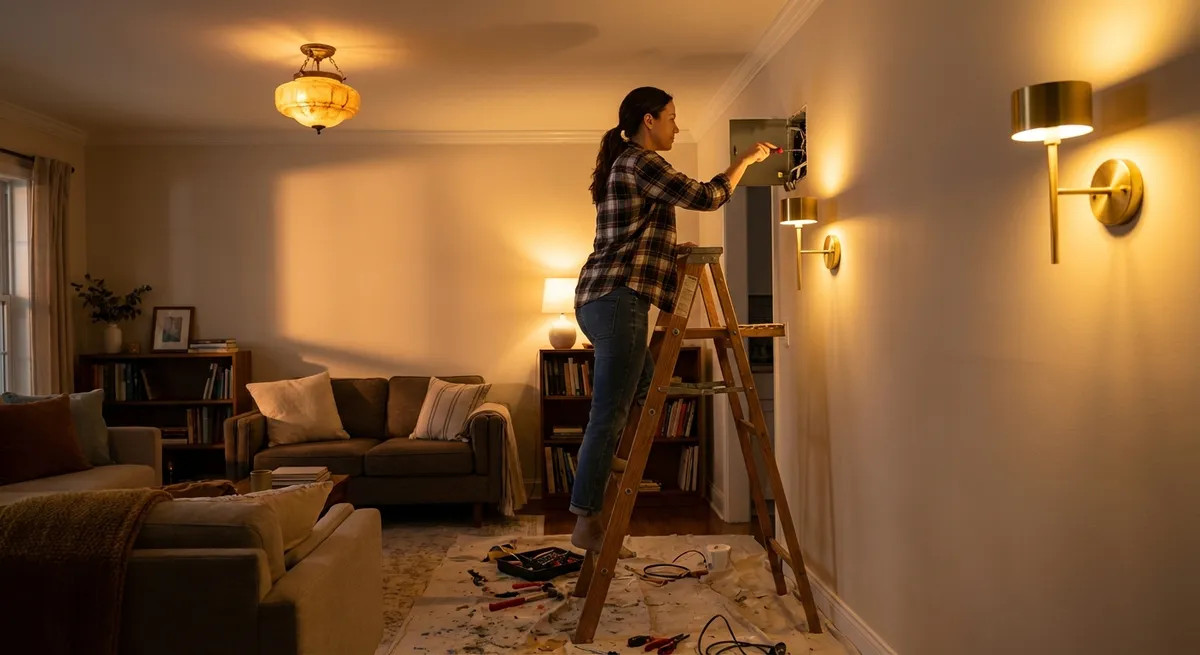
Updating your lighting is one of the fastest ways to make a room feel cleaner, newer, and more functional—without a full remodel. With a few targeted DIY projects, you can brighten work areas, add ambiance, and make your home feel more “finished” using tools you probably already own.
This guide walks you through five practical, step-by-step lighting upgrades most DIYers can handle. Each project builds your skills and confidence, while keeping safety front and center.
Before You Start: Safety and Planning
Any time you work around electrical systems, safety is non‑negotiable. Most of these projects are simple, but they all involve either wiring, mounting, or close work around live circuits.
Start by gathering basic tools:
- Voltage tester (non-contact preferred)
- Screwdrivers (flat and Phillips)
- Wire stripper/cutter
- Drill with bits
- Stud finder and tape measure
- UL-listed wire nuts and electrical tape
- Step ladder
- Safety glasses
Plan each project:
- Check local codes – Some jurisdictions restrict DIY electrical work. If in doubt, call your local building department or an electrician.
- Read manufacturer instructions – For any light, dimmer, or smart device you install.
- Turn off power at the breaker – Never rely on the wall switch alone.
- Test before touching – Use a voltage tester on all wires and terminals you’ll work around.
If anything looks damaged, confusing, or unsafe (brittle wires, aluminum wiring, crowded boxes), stop and call a pro.
Step 1: Replace Old Light Switches for a Cleaner Look
Swapping yellowed, clicky switches for fresh ones is one of the easiest visual upgrades you can do. It instantly makes the space feel newer, even if nothing else changes.
How to Replace a Standard Light Switch
Cut power and confirm it’s off
- Flip the correct breaker at the panel. - Remove the switch cover plate and test the wires and terminals with a voltage tester. - Only proceed if the tester shows no voltage.
Document the existing wiring
- Take clear photos of the switch and wires before loosening anything. - Note which wire goes to which screw (typically “line” and “load” on single-pole switches; three-way switches have more connections).
Disconnect and prep the wires
- Loosen the terminal screws and gently pull the wires free. - If the wires were backstabbed (pushed into holes), release them per the switch instructions or cut and strip fresh ends (about 3/4" insulation removed). - Straighten the wire ends into hooks if you’ll use side terminals.
Connect the new switch correctly
- Match the wires to their former positions using your photo as a guide. - Hook each wire clockwise around its terminal screw, then tighten firmly. - Ground wire (bare or green) attaches to the green screw on the switch and to the metal box if required.
Reassemble and test
- Carefully fold wires back into the box, avoiding sharp bends. - Attach the switch to the box, install the cover plate, then restore power at the breaker. - Test the switch to confirm it operates the light normally.
Practical tip: If your switches are arranged in a row, updating all of them and their cover plates at once will give you the biggest visual payoff.
Step 2: Install a Simple Dimmer to Control Room Mood
A dimmer lets you tune brightness for tasks, TV time, or late-night moves—without changing the fixture. It’s a small upgrade that significantly improves comfort and energy use.
How to Replace a Switch with a Dimmer
Verify bulb and dimmer compatibility
- Check your bulbs: many LEDs require “dimmable” labeling. - Choose a dimmer rated for the bulbs you use (LED/CFL-compatible vs. old incandescent dimmers).
Kill power and remove the old switch
- Turn off the breaker and confirm with a voltage tester. - Remove the cover plate and pull out the existing switch. - Take photos to capture which wires go where.
Match dimmer leads to house wires
- Most dimmers have leads (wires) instead of screw terminals. - Typically: - One lead to “line” (hot from panel) - One to “load” (to light fixture) - Green or bare to ground - For three-way dimmers, follow the diagram carefully; you’ll have a “common” and traveler wires.
Make solid connections
- Turn off power if you haven’t already. - Twist house wire and dimmer lead together, cap with an appropriately sized wire nut, and tug test each connection. - Connect ground last, ensuring all grounds in the box are tied together properly.
Install and adjust
- Carefully fold the wires back into the box without crimping. - Screw the dimmer in place and add the cover plate. - Restore power and test the full dimming range. Some dimmers have small adjustment screws or sliders behind the plate to fine-tune the low-end brightness and avoid flicker.
Practical tip: For rooms where lights frequently get left on, a dimmer combined with LED bulbs can meaningfully cut energy use and heat, especially in frequently used spaces like kitchens and living rooms.
Step 3: Swap a Basic Ceiling Light for a Brighter, Modern Fixture
That old “boob light” in the hallway or bedroom is usually dim, dated, and yellowing. Upgrading to a modern flush-mount or semi-flush fixture can dramatically improve both style and light output.
How to Replace a Ceiling Fixture
Turn off power and support the old fixture
- Shut off the breaker and verify with a voltage tester at the fixture wires. - Remove the glass shade and bulbs. - Support the fixture with one hand as you remove mounting screws so it doesn’t hang by the wires.
Document existing connections
- Take photos of how the wires are joined: usually black to black (hot), white to white (neutral), and ground to ground/box. - Note any extra wires (often for multiple circuits or switched/outlet combos).
Disconnect and inspect the box
- Remove wire nuts and separate wires. - Confirm the electrical box is ceiling-rated and firmly attached to the framing, especially if your new fixture is heavier than the old one. - Replace a loose or damaged box before proceeding.
Install the new mounting hardware
- Attach the fixture’s mounting bracket to the electrical box using the provided screws. - Leave screws slightly loose until everything is aligned, then tighten.
Make the electrical connections and mount the fixture
- Connect: - Fixture hot (usually black) to house hot (black) - Fixture neutral (white) to house neutral (white) - Ground (green or bare) to the box ground and fixture ground screw - Use wire nuts and, if recommended, wrap connections with electrical tape. - Tuck wires into the box, mount the fixture base, and install the shade and bulbs. - Restore power and test.
Practical tip: When choosing bulbs, pick a color temperature that fits the room’s mood:
- 2700–3000K: warm, cozy (bedrooms, living rooms)
- 3500–4000K: neutral, good for kitchens and workspaces
- 5000K: very cool/daylight, best for garages or task-heavy areas
Step 4: Add Under-Cabinet Lighting for Better Kitchen Tasks
Under-cabinet lights instantly improve kitchen usability by putting light right where you chop, measure, and prep. The good news: there are easy plug‑in and low-voltage options that avoid opening walls.
How to Install Basic Plug-In or Low-Voltage Under-Cabinet Lights
Plan layout and power source
- Identify an outlet inside a cabinet or along the backsplash you can reasonably use. - Measure cabinet runs and sketch where lights will go, avoiding obstructions like hinges and exhaust vents. - Decide if you’ll control them via built-in switch, inline switch, or smart plug.
Choose your lighting type
- Plug-in LED light bars or pucks: easiest to install and move. - Low-voltage LED strips with a plug-in transformer: flexible and continuous. - Look for high CRI (color rendering index) and a suitable color temperature for kitchens (often 3000–4000K).
Prepare surfaces and test components
- Clean the underside of cabinets so adhesive pads or clips stick well. - Plug in the lights temporarily to confirm they work and are all the same color tone.
Mount the fixtures or strips
- Mark locations so the light is near the front edge of the cabinet bottom, not against the wall. - Use included screws, clips, or strong adhesive as instructed. - Route any cables neatly along cabinet edges using cable clips or adhesive channels, keeping them away from heat sources.
Manage cords and control
- Hide excess cord lengths inside cabinets or behind appliances where possible. - Use cord clips or channels to keep cords straight and unobtrusive. - Add a smart plug or simple remote-control outlet if the built-in switch isn’t conveniently located.
Practical tip: If you ever plan a full kitchen renovation, this plug-in system can later be replaced with hardwired under-cabinet lights using the same layout you proved works for you.
Step 5: Boost Garage or Basement Light with LED Shop Fixtures
Workspaces like garages, basements, and utility rooms are often underlit, making projects and repairs harder and less safe. LED shop lights are an easy, high-impact upgrade.
How to Install LED Shop Lights Safely
Assess existing lighting and outlets
- Check what’s currently there: a single bare bulb? A fluorescent fixture? Nothing? - Identify which outlet or light circuit you can safely use without overloading it. - Confirm the circuit’s amperage (usually 15A or 20A) at the breaker panel.
Plan fixture locations
- Measure the space and mark ideal fixture positions for even coverage. - Aim for lights directly over workbenches, tools, and central walkways. - If stud or joist mounting is needed, use a stud finder to locate secure points.
Choose your fixtures and mounting method
- Linkable LED shop lights can daisy-chain multiple fixtures from one plug. - Verify: - Lumens output for your space size - Color temperature (4000–5000K is typical for work areas) - Mounting options (chains, brackets, flush-mount)
Mount the fixtures
- Turn off power to any existing fixtures you’ll remove or tie into. - For plug-in shop lights: - Secure mounting hardware to joists or anchors rated for the weight - Hang or screw fixtures according to instructions - For hardwired replacements, follow manufacturer wiring diagrams or hire an electrician if you’re not comfortable.
Wire or plug in and test
- For plug-in systems, use a switched outlet if available so you’re not climbing to reach pull cords. - Keep cords clear of moving parts (garage doors) and away from damp areas. - Turn power back on and check for even coverage, adjusting angles or positions as needed.
Practical tip: If your garage or basement has moisture issues, choose fixtures rated for damp or wet locations and avoid direct exposure to water.
Conclusion
Small, focused lighting upgrades can dramatically change how your home looks, feels, and functions—often in an afternoon. Replacing outdated switches, adding dimmers, upgrading ceiling fixtures, installing under-cabinet lights, and improving garage or basement lighting are all DIY-friendly projects if you take your time and respect basic safety practices.
Start with the simplest task (like a single switch replacement) to build confidence, then move up to fixtures and more involved layouts. Over time, each change adds up to a brighter, safer, and more comfortable home tailored to how you actually live and work in it.
Sources
- [U.S. Consumer Product Safety Commission – Home Electrical Safety Checklist](https://www.cpsc.gov/s3fs-public/513.pdf) – Guidance on safe practices when working with household electrical systems
- [U.S. Department of Energy – Lighting Choices to Save You Money](https://www.energy.gov/energysaver/lighting-choices-save-you-money) – Overview of bulb types, efficiency, and choosing appropriate lighting
- [National Fire Protection Association – Electrical Safety Tips](https://www.nfpa.org/Public-Education/Staying-safe/Safety-equipment/Electrical-safety-in-the-home) – Key safety recommendations for DIY electrical work at home
- [Lutron – Dimmer and Bulb Compatibility Tool](https://www.lutron.com/en-US/Pages/LEDCompatibilityTool/Compatibility.aspx) – Helps confirm which dimmers are compatible with specific LED bulbs
- [U.S. Department of Energy – LED Lighting Basics](https://www.energy.gov/energysaver/led-lighting) – Detailed explanation of LED benefits, life expectancy, and performance considerations
Key Takeaway
The most important thing to remember from this article is that this information can change how you think about DIY Projects.